Vertech Editorial
By April 2026, almost every student I talk to is using AI for school. That part is settled. What isn't settled is which one.
ChatGPT got there first. That bought it a default-app status that has nothing to do with whether it's the right tool for what you're actually doing. Claude has quietly become the preferred AI for a huge slice of students — STEM, humanities, anyone writing long-form work — and most students still haven't tried it.
This is the honest comparison. No "they're both great in their own way." They're not.
Hi, I'm Adolph
I run Vertech Academy, where we build study prompts that turn AI tools into actual tutors instead of answer machines. Over the last two years I've tested somewhere north of 200 prompt variations across Claude, ChatGPT, and Gemini, on real student tasks — essays, math proofs, lab reports, exam reviews, the lot.
So I've watched both tools change month over month. The gap between them has gotten more interesting, not less.
A quick disclosure. I'm not bashing either. They're both useful. They're useful for different things, and pretending otherwise is how students end up with hallucinated citations in their bibliography and a grade they didn't deserve.
Which AI should I actually open?
That's the only question that matters. Let's answer it.
The state of student AI in April 2026
The two tools changed substantially in the last 90 days. If your opinion of either is older than that, throw it out.
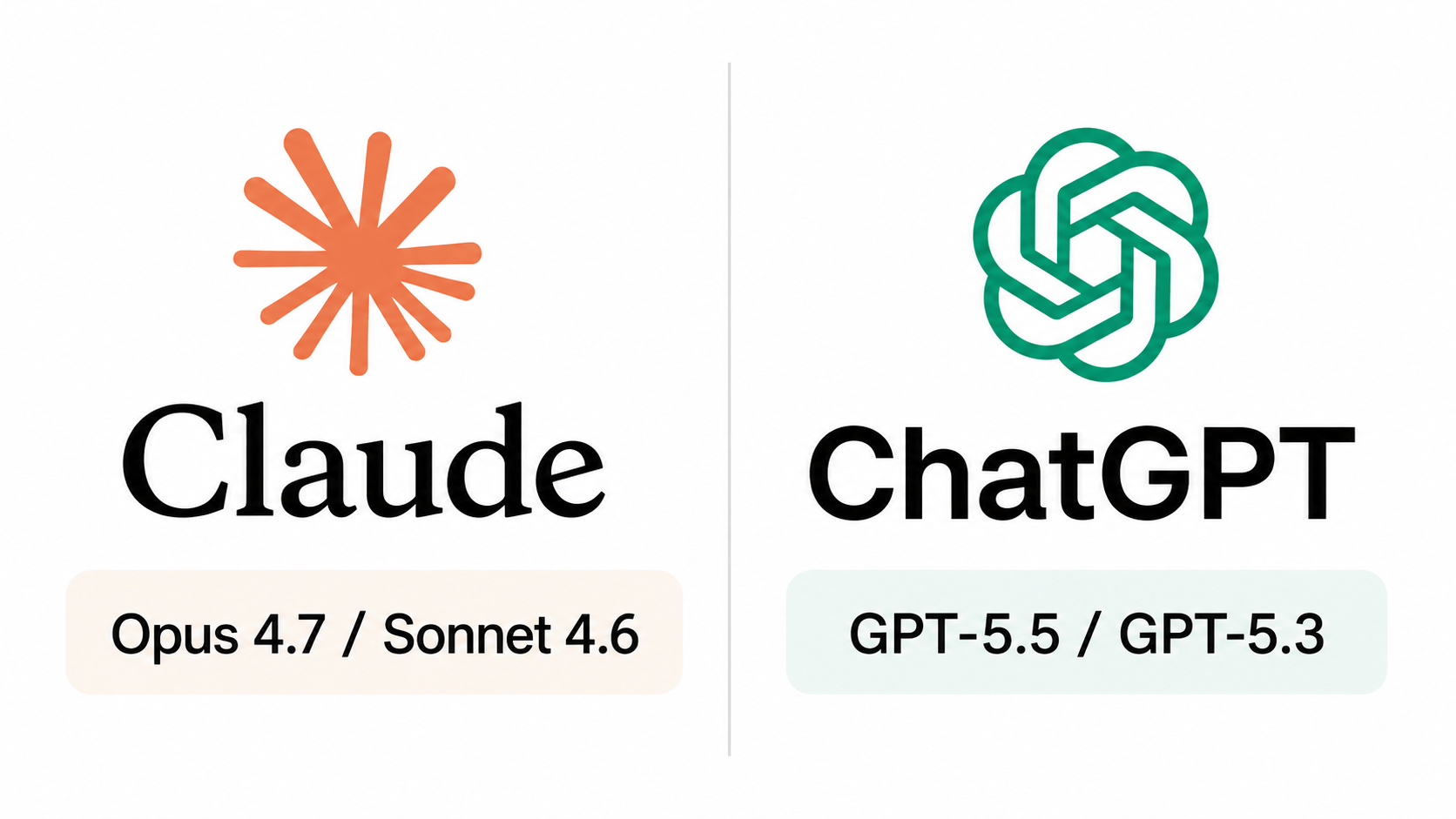
Anthropic released Claude Opus 4.7 on April 16, 2026 — their most capable generally available model. The everyday workhorse most students will actually use is Claude Sonnet 4.6, which runs on the free tier with strict daily limits. Both support a 1M token context window, which is roughly 750,000 words. You can fit your entire textbook in there.
OpenAI shipped GPT-5.5 a week later, on April 23. The default model when you log in is GPT-5.3 Instant, which auto-routes harder questions to GPT-5.5 Thinking when needed.
Both companies are now updating their flagship models every six weeks or less. The "ChatGPT is dumber than Claude" or "Claude can't do math" takes you saw on Reddit last year are stale.
Here's where they actually stand today.
ChatGPT got there first. That doesn't make it right.
ChatGPT is the AI most of your friends use. 900 million weekly users. There's a reason for that, and the reason is mostly that it was first.
Where it actually wins:
- It's the better math and code tool. Full stop. The Code Interpreter runs Python in the chat window, which means you can paste a buggy script, ask it to find the error, and watch it execute the fix. Claude can read code beautifully but doesn't run it for you in the same chat surface.
- It's faster for quick lookups. The free tier is more generous than Claude's. If you're spending 30 minutes asking small questions during a study session, you'll hit Claude's cap before you hit ChatGPT's.
- The web search is sharper. ChatGPT's Fast answers feature, rolled out earlier this year, gives near-instant high-confidence replies for the kind of "who, what, when" questions that used to require five tabs.
Where it loses, and where most students don't notice it's losing:
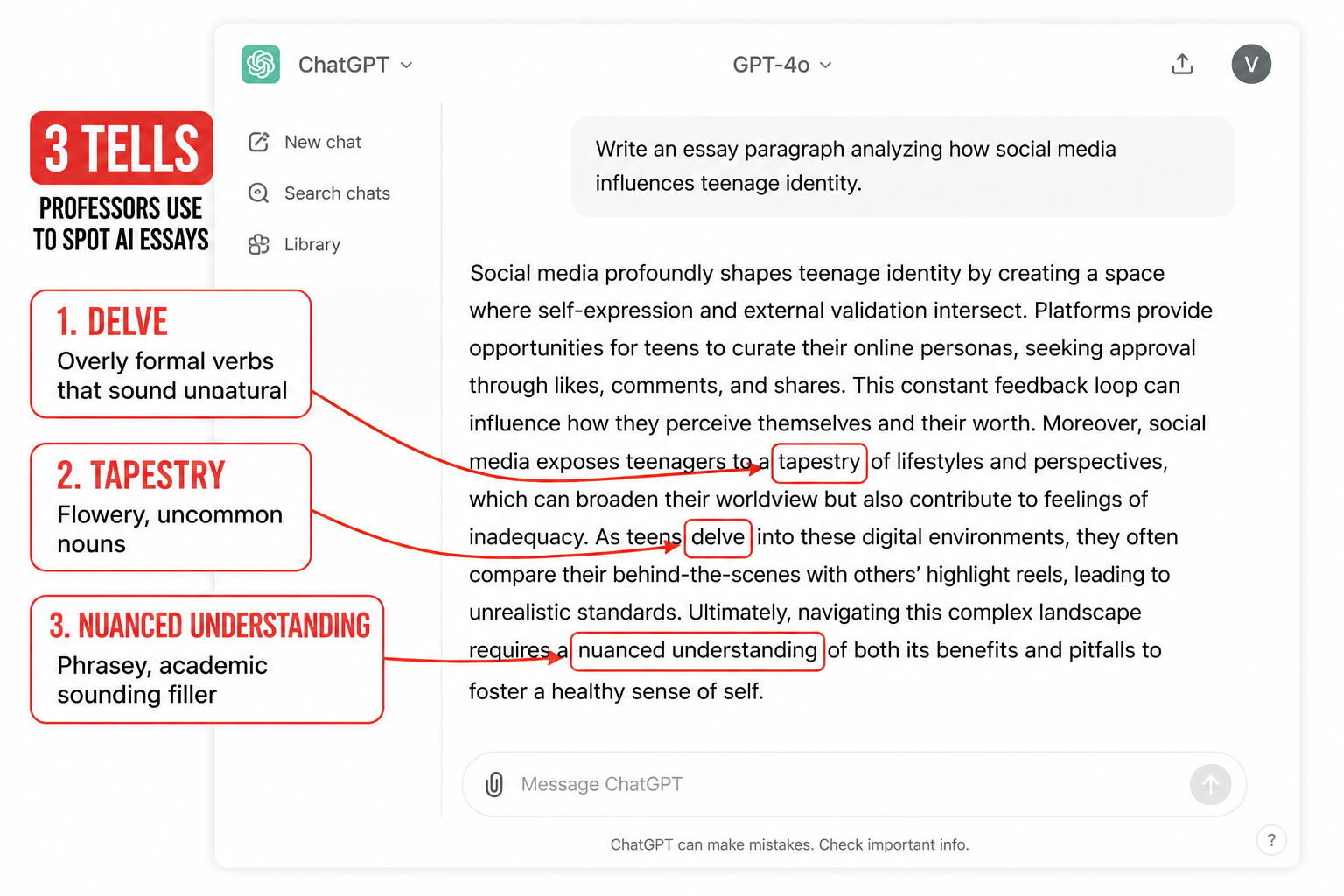
- Writing voice. ChatGPT has a tell. It loves the words delve, tapestry, nuanced, comprehensive, and it loves a four-item parallel structure. Professors clocked this two years ago. If you submit a ChatGPT essay unedited, the people grading it know.
- Hallucinations. ChatGPT will confidently invent a citation, a court case, a quote from a real author. It does this less than it used to, but it still does it. For research papers this is the failure mode that ends careers.
- Instruction following. If you write a prompt like "rewrite only the passive-voice sentences and change nothing else," ChatGPT often rewrites things you didn't ask it to.
Claude is quieter for a reason.
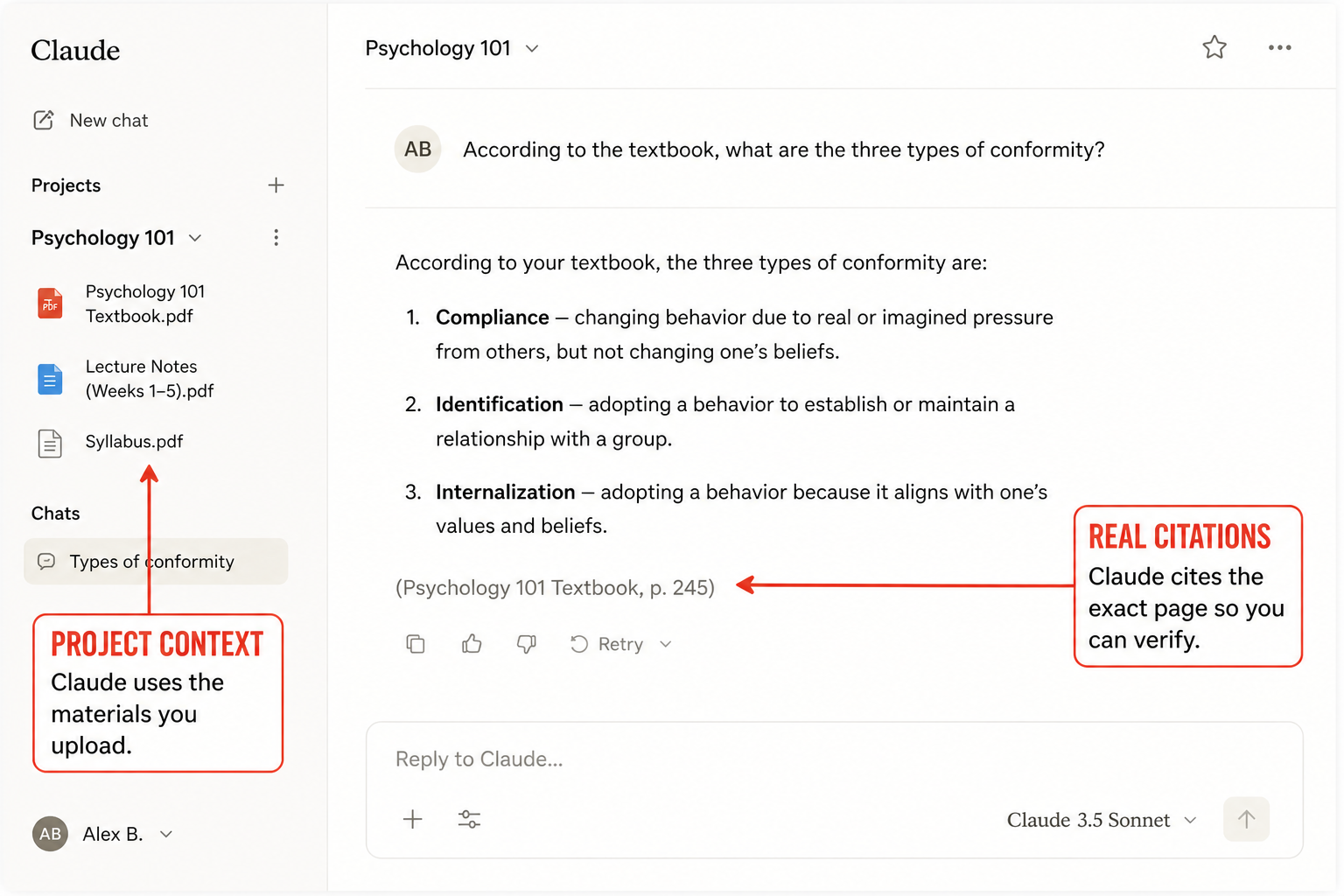
Claude is the AI that got better while no one was watching.
Where it actually wins:
- Long documents. The 1M token context window means you can drop in a 500-page PDF and ask Claude about page 312 without it forgetting page 1. ChatGPT can technically do long context too, but in practice Claude holds the thread better across the whole document. For literature, history, and any class with heavy reading, this is the single biggest difference.
- Writing voice. Claude sounds like a person who knows things. It's the difference between a tutor and a corporate intern. For essays, personal statements, and anything where the words matter, it's not close.
- Instruction following. If you tell Claude "do not change anything except the passive voice sentences," it does that. This sounds boring until you've spent an hour fighting ChatGPT to leave your writing alone.
- Honesty. Claude says "I don't know" more often than ChatGPT does. That feels worse in the moment and is dramatically better for your grade.
- Projects. Claude lets you create a Project — a walled-off workspace where you upload your bio textbook, your lecture slides, and your syllabus, and from then on the AI only answers from those sources. It won't drag in your history homework while you're doing chemistry. ChatGPT has Custom GPTs, but the Projects experience for a single class is cleaner.
Where it loses:
- Math. Not because Claude is bad at math — Opus 4.7 is solid — but because there's no in-chat code execution by default. For symbolic math and physics with messy notation, ChatGPT's ability to actually run a Python check is genuinely useful.
- Free-tier limits. Anthropic is stricter. You'll burn through your daily messages on Claude faster than on ChatGPT.
- Voice mode. ChatGPT's voice is better. If you study by talking through problems out loud, that matters.
Are the free versions enough?
For most students, yes — but only if you stop trying to make one tool do every job.
The free tier of Claude gives you Sonnet 4.6, which is genuinely capable. The free tier of ChatGPT gives you GPT-5.3 Instant with auto-routing to Thinking for harder questions. Both are enough to write a paper, study for an exam, and debug a homework assignment without paying anything.
The students who feel like AI is failing them are almost always the ones who've picked a single tool out of brand loyalty and are forcing it onto every task. Switch tools per task and the free tiers go a long way.
Claude, ChatGPT, and Vertech
When students sign up at Vertech, the most common thing they tell me is they're "just bad at AI." They're not. They're trying to study with a generic chat interface and a vague prompt like "explain photosynthesis to me," and the tool gives them a generic answer back. The job of our prompts is to turn either of these tools into a tutor that asks you questions instead of just dumping text. Same model, completely different experience. (More on that at the end.)
Which one should you actually choose?
I'm not going to give you the cop-out "it depends." Here's the call.
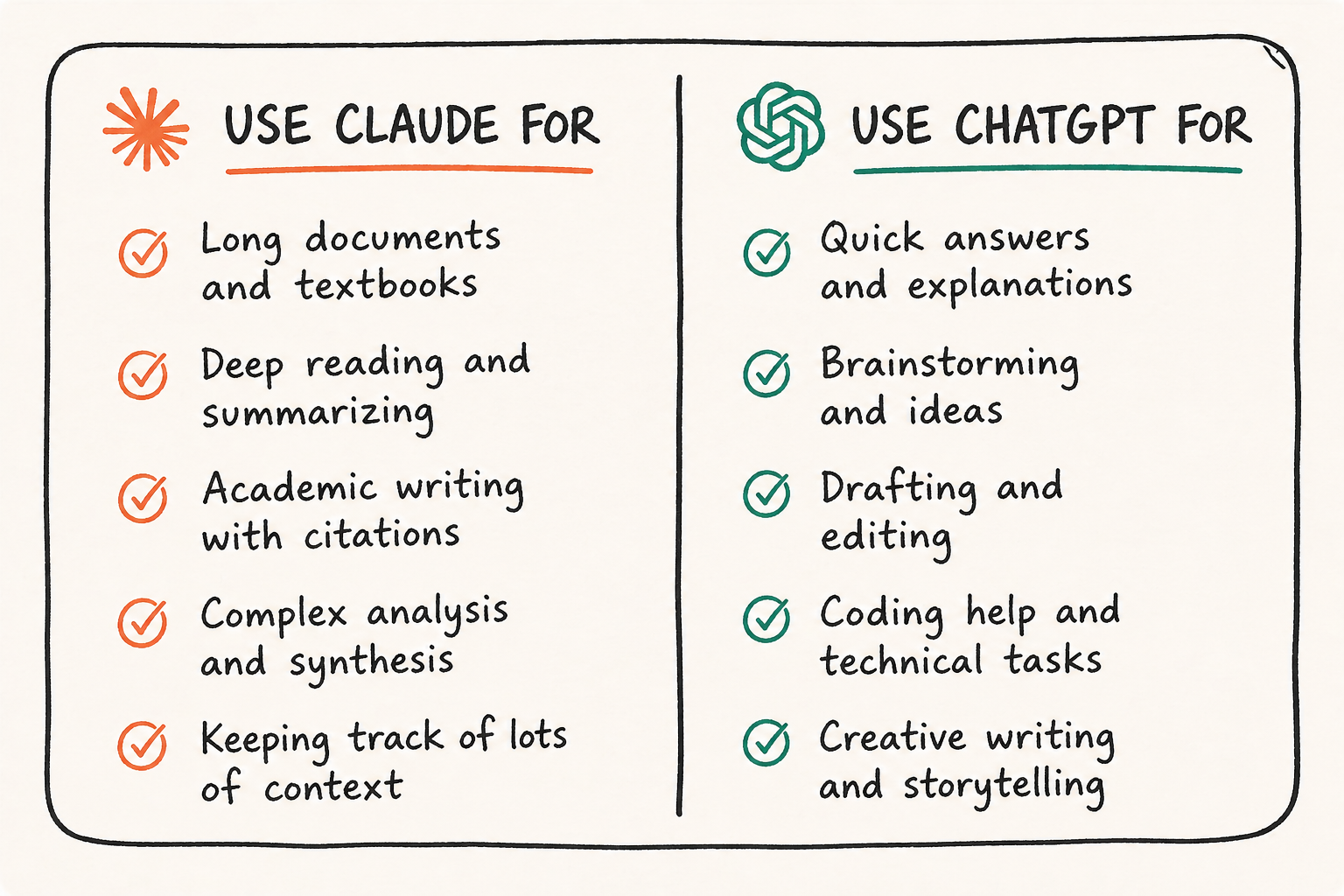
Open Claude for: essays, research papers, long readings, primary-source analysis, anything literary or historical, exam prep based on a textbook PDF, personal statements, and any task where instructions need to be followed exactly.
Open ChatGPT for: math, physics, chemistry, code, anything with equations, quick conceptual lookups, brainstorming when you want speed over depth, and study sessions where you'd rather talk to it than type.
If you only had to pick one, and you write more than you compute, pick Claude. If you compute more than you write, pick ChatGPT. The cross-shopping is what trips people up — most students would be better off with Claude open by default and ChatGPT open in a second tab for math.
There is a smarter way.
The actual problem isn't which AI you picked. It's that you're treating the AI like a vending machine.
The students getting real value out of these tools aren't the ones with the better subscription. They're the ones who've stopped asking "explain X" and started using prompts that force the AI to teach them — to ask diagnostic questions, to break the topic into checkpoints, to refuse to give the answer until the student has tried.
That's the entire reason Vertech Academy exists. The prompt library works on Claude, ChatGPT, and Gemini, because the tool is mostly the same — what changes everything is what you're asking it to do.
My suggestion, in four steps
- Open Claude as your default, not ChatGPT. Even if it feels weird for the first week. Most of your assignments are writing or reading, and Claude is better at both.
- Keep ChatGPT open in a second tab for math, code, and quick lookups. Don't try to make Claude do those.
- Stop pasting in vague prompts. "Help me study for my exam" is the prompt that makes both tools look mediocre. A good study prompt is one that is made following proven techniques like assigning a persona, a task, a role, and the context.
- Rotate, don't commit. New models ship every six weeks. The right tool for September won't be the right tool for May. Keep both apps installed.
If you're scared about picking the wrong one, don't be. Both are good. Pick one for the task in front of you, do the work, move on. Switching takes ten seconds. The hours people lose are not from picking the wrong AI — they're from trying to make one AI be all the AIs.
You'll figure it out faster than you think.
Liked the article? Share it!